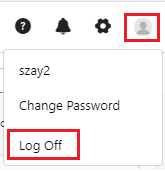
Log off refers to logging out from the application that you have currently logged in.
To log off,
If you are unable to find the logout or if you are having trouble logging out, please consult Wasp for further assistance.